A Guide to Web Accessibility
Hey there, fellow creators! Today, let’s dive into something that’s close to our hearts—web accessibility. Imagine a world where everyone can effortlessly surf the digital realm, regardless of their abilities. In this blog post, we’re talking about making the web a welcoming place for every user.
Let’s kick things off with a simple truth: web accessibility matters. It’s not about ticking off boxes; it’s about creating a space where a diverse range of users can feel at home. Think about someone using a screen reader or navigating with a keyboard—web accessibility ensures their journey is just as smooth and enjoyable.
Now, let’s break down the essentials — the Web Content Accessibility Guidelines (WCAG). Picture these guidelines as a friendly map guiding us toward inclusivity. They cover everything from making content adaptable to providing alternatives for images, forming the backbone of an online world that’s open to all.
Enough theory — let’s get hands-on. Imagine coding with semantic HTML and effortlessly adding alternative text to your images. These aren’t just best practices; they’re small steps that collectively make a big difference. We’ll explore practical tips to make web accessibility an integral part of our creative process.
Think of design not just as colors and layouts, but as a philosophy. Inclusive design is like setting a place at the table for everyone from the get-go. It ensures that our websites aren’t just functional but are warm, welcoming spaces for every visitor, regardless of their abilities.
Imagine having a toolkit that helps you ensure your website is accessible to everyone. Visualize tools like screen reader simulators and color contrast checkers — your allies in crafting a digital space that’s not just functional but beautifully accessible.
Let’s bring it back to people. Imagine talking to users with different needs and experiences. The power of empathy in our work becomes evident as we consider their insights. It’s about making choices that resonate universally, creating interfaces that genuinely understand and cater to the diversity of human experiences.
Now, let’s zoom out. Picture a shift happening in our industry. It’s not just about following rules; it’s a movement. Imagine being part of a community where standards evolve, regulations make the web more inclusive, and advocacy becomes the driving force. It’s about being part of something bigger than ourselves.
As we wrap up, imagine the impact of our collective efforts. Every line of code, every design decision — we’re shaping a web where accessibility is the norm, not the exception. Let’s keep this journey going, encouraging each other to champion inclusivity in every aspect of our work. The future of web development? It’s inclusive, and it’s in our hands. Ready to make a difference in the world of accessible web development? Let’s do this together!

> Written by
Emdadul Islam
Software Engineer. View profile →
Read more
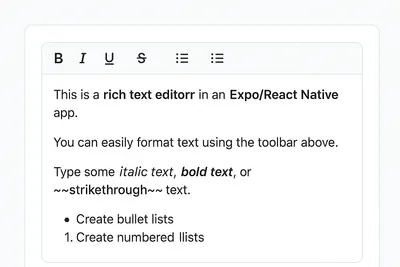
How to Add a Native Rich Text Editor in Expo / React Native (No WebView)
Rich text editing in React Native has always been tricky — especially when you want native performance instead of relying on WebViews. Most available libraries work great for the web, but fall short on mobile. That’s where [expo-rte](https://github.c...
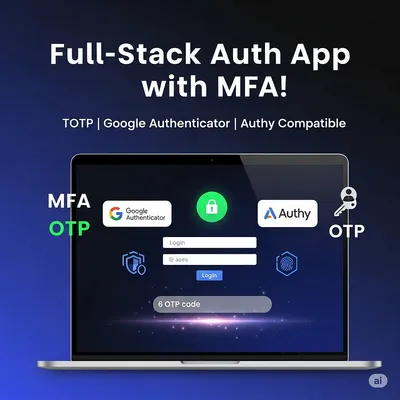
How to Implement Multi-Factor Authentication (MFA) with TOTP in Your Web Application
In today’s digital landscape, securing user accounts with just a password isn’t enough. Multi-Factor Authentication (MFA) adds an essential layer of security by requiring users to provide two or more verification factors. In this comprehensive guide,...

Host Your Own S3-Compatible MinIO Server on a VPS with Caddy and HTTPS
Host Your Own S3-Compatible MinIO Server on a VPS with Caddy and HTTPS Want to self-host object storage like AWS S3 but on your own VPS? Say hello to MinIO — a blazing-fast, S3-compatible storage solution. In this guide, we’ll show you how to install...