Integration Tests That Use a Real Database: A Step-by-Step Guide
Write fast, reliable Go integration tests against a real PostgreSQL database with Testcontainers: setup, isolation, parallel tests and GitHub Actions CI.
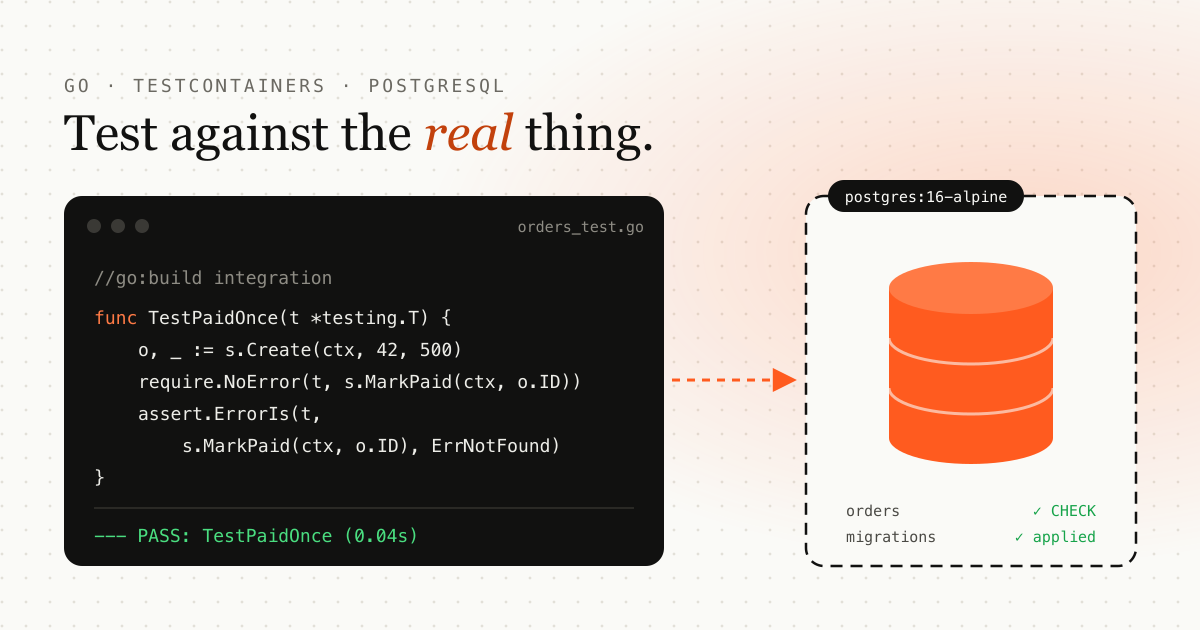
TL;DR: run Go integration tests against a real PostgreSQL database using Testcontainers. Tag the tests with
//go:build integration, start the container once in TestMain, apply your real migrations, give each test its
own data, run them in parallel, and add a separate GitHub Actions job for CI.
Unit tests with mocks are fast, but they test what you told the mock to do. A mocked database will happily accept a query with a typo, a missing index or the wrong column type. Integration tests close that gap by running your code against the real thing: a real database, a real message broker, a real cache.
This guide walks through setting up integration tests for a small Go service, from the first test to running the suite in CI. The examples use Go and Testcontainers, but the ideas carry over to any language.
What is an integration test?
An integration test checks that your code works together with the things it depends on: a database, a message broker, a cache, another service’s API. Where a unit test replaces those dependencies with mocks, an integration test runs them for real.
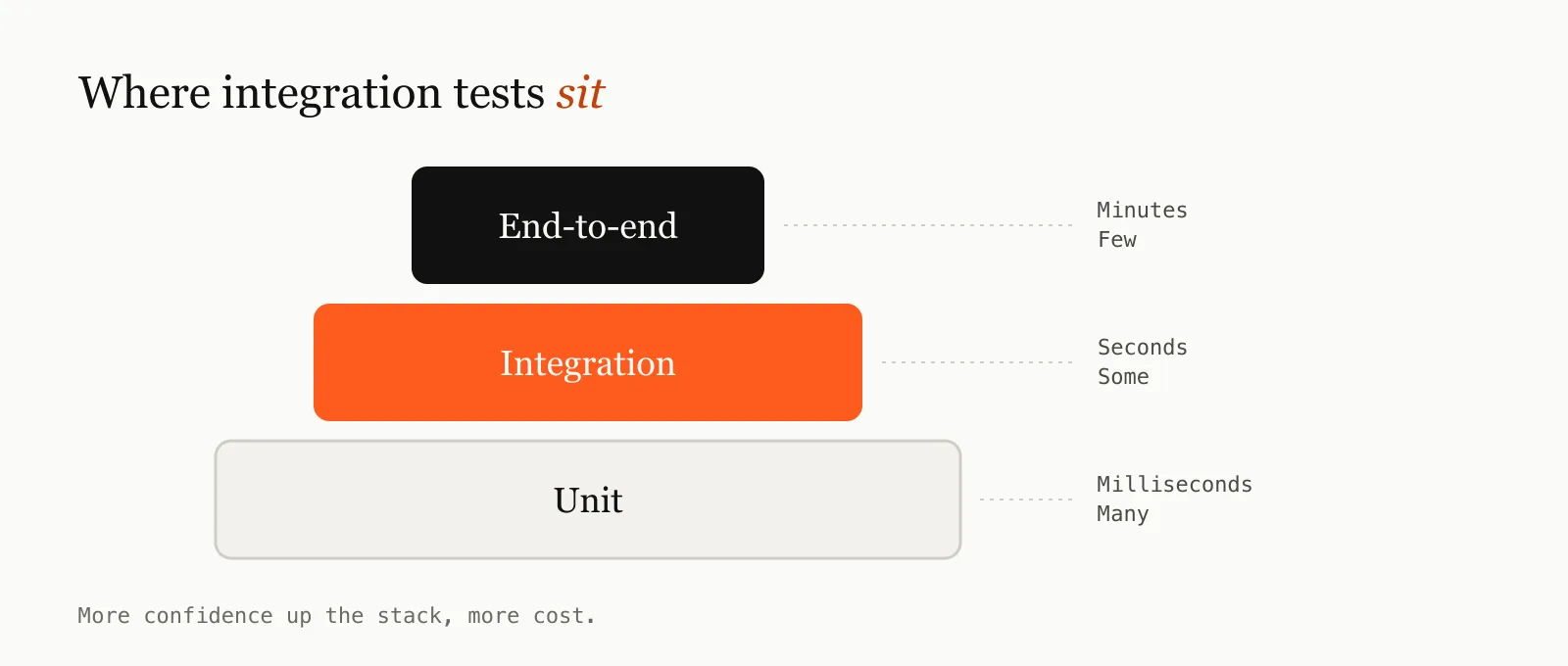
It sits in the middle of the usual testing layers:
| Unit test | Integration test | End-to-end test | |
|---|---|---|---|
| What it checks | One function or class, alone | Your code plus its real dependencies | The whole system, as a user sees it |
| Dependencies | Mocked | Real (often in containers) | Real, fully deployed |
| Speed | Milliseconds | Seconds | Minutes |
| When it fails, you know | Exactly which function broke | Which component and dependency broke | Something, somewhere, broke |
| How many you write | Many | Some | Few |
A typical integration test starts a real database, calls your code, and then checks what was actually stored.
Why write integration tests?
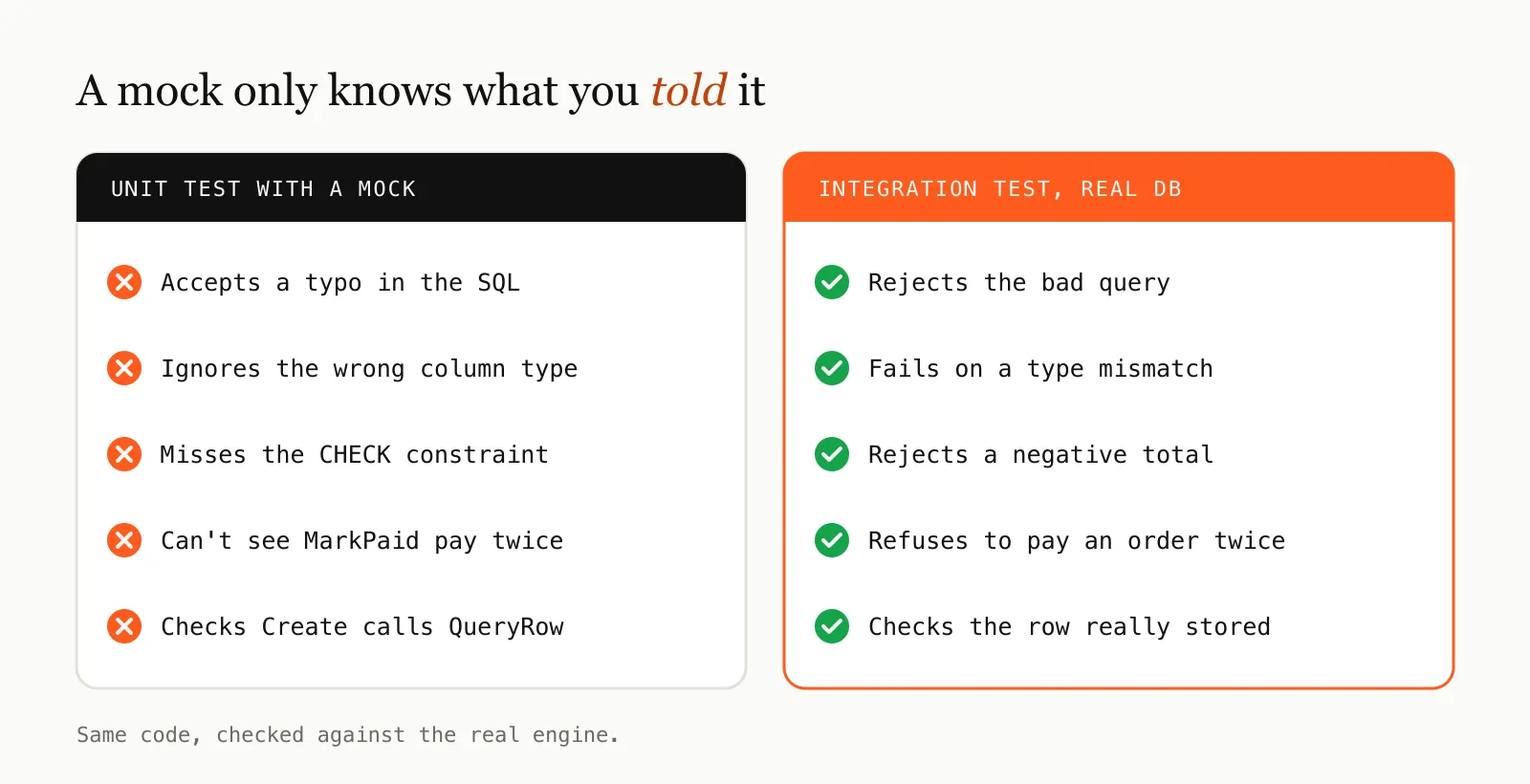
They catch the bugs mocks can’t. A mock only knows what you told it. It won’t notice a typo in a SQL query, a column that is the wrong type, a missing index, a constraint you forgot about, or a query that behaves differently on the real database engine. In data-heavy services, this is where many production bugs live.
They test your assumptions about other systems. Your code assumes things about how its dependencies behave: that a timestamp keeps its fractional seconds, that two transactions don’t deadlock, that a message is delivered once. An integration test checks those assumptions against the real thing instead of your memory of it.
They let you refactor with confidence. Tests that only check “function A called function B” break every time you restructure code, even when the behavior is unchanged. Integration tests check observable results, such as the row in the table or the message on the topic, so you can rewrite the internals freely and the tests still tell you whether it works.
They find concurrency problems. Running tests in parallel against a real database surfaces deadlocks, races and lock contention that sequential unit tests never hit. You find them in CI rather than in an incident.
They document how the system really behaves. A readable integration test (“an order can only be paid once”) is an executable description of a business rule. New team members can read the tests to learn what the system does, and the tests fail if that description stops being true.
They are cheaper than end-to-end tests. You get most of the confidence of a full end-to-end test without deploying the whole system, waiting minutes per run, or debugging failures across five services.
When not to use them
Integration tests aren’t a replacement for unit tests. They are slower and need Docker, and when one fails it can take longer to pinpoint the cause. Keep pure logic, such as calculations, parsing and validation, in fast unit tests, and use integration tests for the code that talks to other systems.
The example: a Go order store on PostgreSQL
The example is a tiny order store backed by PostgreSQL:
// store/store.go
package store

import (
	"context"
	"database/sql"
	"errors"
	"time"
)

var ErrNotFound = errors.New("order not found")

type Order struct {
	ID         int64
	CustomerID int64
	TotalCents int64
	Status     string
	CreatedAt  time.Time
}

type Store struct{ db *sql.DB }

func New(db *sql.DB) *Store { return &Store{db: db} }

func (s *Store) Create(ctx context.Context, customerID, totalCents int64) (Order, error) {
	o := Order{CustomerID: customerID, TotalCents: totalCents, Status: "pending"}
	err := s.db.QueryRowContext(ctx,
		`INSERT INTO orders (customer_id, total_cents, status) VALUES ($1, $2, $3)
		 RETURNING id, created_at`,
		customerID, totalCents, o.Status,
	).Scan(&o.ID, &o.CreatedAt)
	return o, err
}

func (s *Store) Get(ctx context.Context, id int64) (Order, error) {
	var o Order
	err := s.db.QueryRowContext(ctx,
		`SELECT id, customer_id, total_cents, status, created_at FROM orders WHERE id = $1`, id,
	).Scan(&o.ID, &o.CustomerID, &o.TotalCents, &o.Status, &o.CreatedAt)
	if errors.Is(err, sql.ErrNoRows) {
		return Order{}, ErrNotFound
	}
	return o, err
}

func (s *Store) MarkPaid(ctx context.Context, id int64) error {
	res, err := s.db.ExecContext(ctx,
		`UPDATE orders SET status = 'paid' WHERE id = $1 AND status = 'pending'`, id)
	if err != nil {
		return err
	}
	if n, _ := res.RowsAffected(); n == 0 {
		return ErrNotFound
	}
	return nil
}
And its schema:
-- migrations/001_orders.sql
CREATE TABLE orders (
  id          BIGSERIAL PRIMARY KEY,
  customer_id BIGINT      NOT NULL,
  total_cents BIGINT      NOT NULL CHECK (total_cents >= 0),
  status      TEXT        NOT NULL,
  created_at  TIMESTAMPTZ NOT NULL DEFAULT now()
);
A mock could tell us that Create calls QueryRowContext. Only a real database can tell us that the CHECK
constraint rejects a negative total, or that MarkPaid refuses to pay an order twice.
Step 1: Install the prerequisites
You need Docker running locally and two Go modules:
go get github.com/testcontainers/testcontainers-go/modules/postgres
go get github.com/jackc/pgx/v5
Testcontainers starts real containers from your test code and removes them when the tests finish. No
docker-compose.yml to keep in sync and no shared database that other developers can break.
Step 2: Keep integration tests out of the default run
Integration tests need Docker and take seconds rather than milliseconds. Keep them out of go test ./... so the
fast feedback loop stays fast. A build tag does that with one line at the top of every integration test file:
//go:build integrationNow go test ./... skips these files and go test -tags integration ./... runs them.
Put them in their own folder too:
.
├── store/
│   ├── store.go
│   └── store_test.go          # fast unit tests
├── migrations/
│   └── 001_orders.sql
└── test/
    └── integration/
        ├── harness/           # shared: starts containers, applies migrations
        └── orders/            # one folder per feature
            ├── main_test.go
            └── orders_test.go
One folder per feature means a second team can add test/integration/payments/ without touching your tests.
Each folder is its own Go package, so its suite starts its own containers and runs independently.
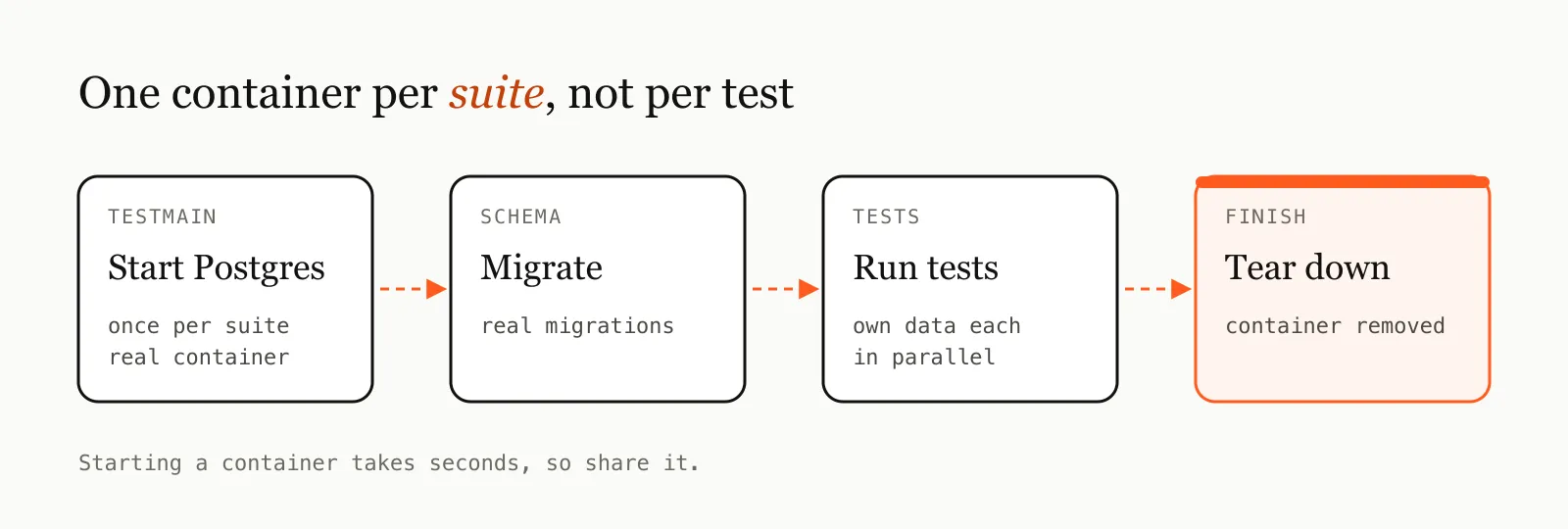
Step 3: Start PostgreSQL once per suite with Testcontainers
Starting a container takes a few seconds, far too slow to do for every test. Start it once in TestMain and
share it across the suite.
The shared harness:
//go:build integration

// test/integration/harness/harness.go
package harness

import (
	"context"
	"database/sql"
	"fmt"
	"os"
	"path/filepath"
	"sort"

	_ "github.com/jackc/pgx/v5/stdlib"
	"github.com/testcontainers/testcontainers-go/modules/postgres"
)

// StartPostgres starts PostgreSQL, applies every migration in dir, and returns the
// connection and a function that tears everything down.
func StartPostgres(ctx context.Context, migrationsDir string) (*sql.DB, func(), error) {
	container, err := postgres.Run(ctx, "postgres:16-alpine",
		postgres.WithDatabase("app"),
		postgres.WithUsername("app"),
		postgres.WithPassword("secret"),
		postgres.BasicWaitStrategies(), // wait until the server really accepts connections
	)
	if err != nil {
		return nil, nil, fmt.Errorf("start postgres: %w", err)
	}
	stop := func() { _ = container.Terminate(ctx) }

	dsn, err := container.ConnectionString(ctx, "sslmode=disable")
	if err != nil {
		stop()
		return nil, nil, err
	}
	db, err := sql.Open("pgx", dsn)
	if err != nil {
		stop()
		return nil, nil, err
	}
	if err := migrate(db, migrationsDir); err != nil {
		db.Close()
		stop()
		return nil, nil, err
	}
	return db, func() { db.Close(); stop() }, nil
}

// migrate runs the .sql files in name order.
func migrate(db *sql.DB, dir string) error {
	files, err := filepath.Glob(filepath.Join(dir, "*.sql"))
	if err != nil {
		return err
	}
	sort.Strings(files)
	for _, f := range files {
		ddl, err := os.ReadFile(f)
		if err != nil {
			return err
		}
		if _, err := db.Exec(string(ddl)); err != nil {
			return fmt.Errorf("%s: %w", f, err)
		}
	}
	return nil
}
Apply your real migrations, not a hand-written copy of the schema. The whole point is to catch the cases where code and schema disagree.
The suite’s entry point:
//go:build integration

// test/integration/orders/main_test.go
package orders

import (
	"context"
	"database/sql"
	"fmt"
	"os"
	"testing"

	"example.com/shop/test/integration/harness"
)

var db *sql.DB

func TestMain(m *testing.M) {
	var stop func()
	var err error
	db, stop, err = harness.StartPostgres(context.Background(), "../../../migrations")
	if err != nil {
		fmt.Fprintln(os.Stderr, err)
		os.Exit(1)
	}
	code := m.Run()
	stop() // os.Exit skips deferred calls, so tear down explicitly
	os.Exit(code)
}
Step 4: Write the first test
//go:build integration

// test/integration/orders/orders_test.go
package orders

import (
	"context"
	"testing"

	"example.com/shop/store"

	"github.com/stretchr/testify/assert"
	"github.com/stretchr/testify/require"
)

func TestCreateThenGet(t *testing.T) {
	ctx := context.Background()
	s := store.New(db)

	created, err := s.Create(ctx, 42, 1999)
	require.NoError(t, err)

	got, err := s.Get(ctx, created.ID)
	require.NoError(t, err)
	assert.Equal(t, int64(42), got.CustomerID)
	assert.Equal(t, int64(1999), got.TotalCents)
	assert.Equal(t, "pending", got.Status)
}
Run it:
go test -tags integration ./test/integration/...The first run pulls the Postgres image. After that, the suite starts in a couple of seconds.
Step 5: Test what only a real database can tell you
This is where integration tests earn their keep:
func TestNegativeTotalIsRejected(t *testing.T) {
	_, err := store.New(db).Create(context.Background(), 42, -1)

	require.Error(t, err) // the CHECK constraint, not our Go code, rejects it
}

func TestOrderCanOnlyBePaidOnce(t *testing.T) {
	ctx := context.Background()
	s := store.New(db)
	o, err := s.Create(ctx, 42, 500)
	require.NoError(t, err)

	require.NoError(t, s.MarkPaid(ctx, o.ID))
	assert.ErrorIs(t, s.MarkPaid(ctx, o.ID), store.ErrNotFound)
}

func TestGetMissingOrder(t *testing.T) {
	_, err := store.New(db).Get(context.Background(), -1)

	assert.ErrorIs(t, err, store.ErrNotFound)
}
None of these would fail with a mock if the SQL were wrong.
Step 6: Keep tests isolated
All the tests share one database, so they must not depend on each other’s data. There are three common approaches:
| Approach | How | Trade-off |
|---|---|---|
| Unique data per test | Each test creates its own rows and only reads those (by ID) | Simplest; can’t assert on table-wide counts |
| Transaction per test | Begin a transaction, run the test inside it, roll back | Fast cleanup; breaks if the code under test opens its own transactions |
| Database per test | CREATE DATABASE test_N and migrate it for each test | Strongest isolation; slower per test |
Unique data per test is usually enough, and it is what the tests above do: each one creates its own order and reads it back by its own ID. If you need table-wide assertions, give each test its own customer ID and filter on it.
Step 7: Run tests in parallel
Once tests don’t share data, run them in parallel:
func TestCreateThenGet(t *testing.T) {
	t.Parallel()
	// ...
}
Parallel tests are often the biggest single speed-up in an integration suite, because most of the time goes
into waiting on I/O. Limit how many run at once with -parallel:
go test -tags integration -parallel 8 ./test/integration/...Parallel runs also surface real bugs: deadlocks, missing indexes that turn into table locks, and race conditions
your sequential tests never hit. When a parallel test fails, ask whether production could hit the same thing
before you remove t.Parallel().
Step 8: Handle asynchronous code
If your code processes messages from a queue or runs background jobs, the result isn’t there the moment your test sends the input. Asserting immediately gives flaky tests. Poll until the expected state appears, with a timeout:
func waitForStatus(t *testing.T, id int64, want string) {
	t.Helper()
	deadline := time.Now().Add(30 * time.Second)
	for {
		o, err := store.New(db).Get(context.Background(), id)
		if err == nil && o.Status == want {
			return
		}
		if time.Now().After(deadline) {
			t.Fatalf("order %d: want status %q, last seen %+v (err %v)", id, want, o, err)
		}
		time.Sleep(200 * time.Millisecond)
	}
}
Two details matter here:
- Print the last state you saw when you time out. “Condition never satisfied” tells you nothing at 2am.
- To check that something does not happen, watch for a window. Reading once right after sending the input passes before the system has even processed it. Poll for a few seconds and fail if the state changes.
Step 9: Run integration tests in GitHub Actions
Here is a GitHub Actions job that runs alongside your unit tests:
integration-tests:
  runs-on: ubuntu-latest
  timeout-minutes: 15
  steps:
  - uses: actions/checkout@v4
  - uses: actions/setup-go@v5
    with:
      go-version: '1.25'

  - name: Pull images and download modules in parallel
    run: |
      docker pull postgres:16-alpine & images=$!
      go mod download & modules=$!
      wait "$images" && wait "$modules"   # a bare `wait` would hide failures

  - name: Run integration tests
    run: go test -tags integration -count=1 -parallel 8 ./test/integration/...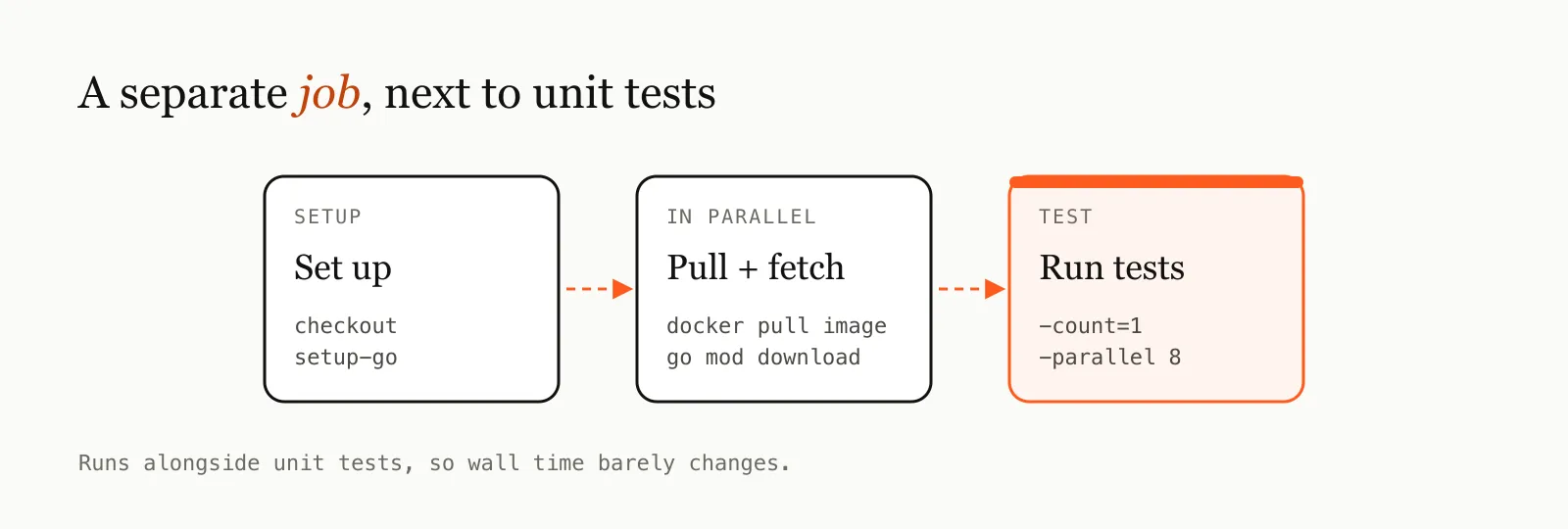
A few choices worth explaining:
- A separate job runs in parallel with your unit tests instead of after them, so the total wall time barely changes.
- Pulling images in parallel with downloading modules overlaps the two slowest setup steps.
-count=1disables Go’s test cache. An integration test that passes from cache tells you nothing.waiton each process ID, because a barewaitalways returns 0 and a failed image pull would only surface later as a confusing test error.
Decide whether the job should block merges. It’s slower and depends on Docker, so some teams start it as informational and make it required once it has proven stable.
Common Testcontainers pitfalls
“Connection refused” to localhost. On some machines localhost resolves to the IPv6 address ::1, where
Docker hasn’t published the port. If a client connects to an address the container advertised, set
TESTCONTAINERS_HOST_OVERRIDE=127.0.0.1.
The container is “up” but not ready. A started container isn’t necessarily a ready one. Use the module’s wait
strategies (like postgres.BasicWaitStrategies() above) instead of time.Sleep.
Leftover containers. Testcontainers runs a small helper container (Ryuk) that removes your containers if the test process dies. If you disable it, add a cleanup step that runs even when the job fails or is cancelled:
- name: Remove leftover test containers
  if: always()
  run: docker ps -aq --filter label=org.testcontainers=true | xargs -r docker rm -f
Times that can’t happen. A test that “assigns” an order six hours before it was “created” may fail for reasons production will never see. Keep test data realistic, especially timestamps.
Precision mismatches. Your language has nanoseconds; your database column may store microseconds or whole seconds. Compare times with the precision you actually store.
Your editor doesn’t see the tests. Tools like gopls ignore files behind a build tag by default. In VS Code, add
"gopls": {"buildFlags": ["-tags=integration"]} to your settings.
Wrapping up
The recipe in short:
- Tag integration tests and put them in their own folder.
- Start real dependencies once per suite with Testcontainers.
- Apply your real migrations.
- Give every test its own data, then run them in parallel.
- Poll for asynchronous results, and print what you saw on timeout.
- Run the suite as its own CI job with images pulled ahead of time.
Start with a handful of tests around the code that touches the database most, the queries, constraints and transactions that mocks can’t check. You’ll be surprised how quickly they find something.
Frequently asked questions
What is the difference between unit tests and integration tests?
A unit test checks one function with its dependencies mocked. An integration test runs your code against real dependencies, such as a PostgreSQL database in a container, so it catches SQL errors, constraint violations and schema mismatches that mocks can't see.
Is Testcontainers fast enough for integration tests?
Yes, if you start containers once per suite in TestMain instead of once per test. After the first image pull, a PostgreSQL container starts in a few seconds, and running tests in parallel keeps the whole suite fast.
How do I keep Go integration tests out of go test ./...?
Add the build tag //go:build integration at the top of each integration test file. Plain go test ./... skips them, and go test -tags integration ./... runs them.
Can I run Testcontainers in GitHub Actions?
Yes. The ubuntu-latest runners have Docker installed, so Testcontainers works without extra setup. Run integration tests as a separate job, pre-pull images, and pass -count=1 to disable Go's test cache.
Emdadul Islam
I build web, mobile and backend products, and write up what I learn along the way: the bugs, the trade-offs and the fixes that held up in production. More about me →
Next article
Your App Is One Slow API Away from Disaster — Here's How to Fix That
Learn how timeouts, retries, and circuit breakers stop a single slow API from cascading into a full outage in your production systems.