How to Add TanStack Query to an Astro + React Project
Learn how to integrate TanStack Query into an Astro project with React for efficient data fetching, caching, and mutations.
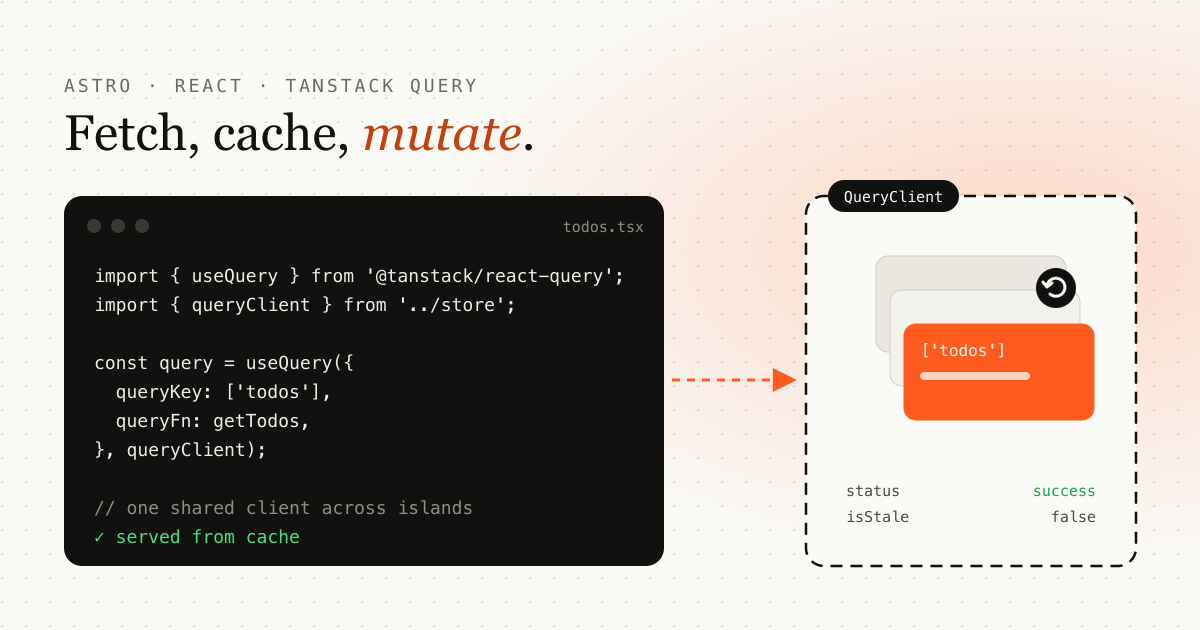
Photo by Lautaro Andreani on Unsplash
TL;DR: export one QueryClient from a module and pass it as the second argument to useQuery and useMutation. You don’t need QueryClientProvider, which Astro’s islands make awkward.
TanStack Query (formerly known as React Query) is a powerful tool for data fetching, caching, and synchronization in React applications. It simplifies handling server-side state in a predictable and efficient manner. Integrating TanStack Query into an Astro project with React can offer the best of both worlds — Astro’s optimized static site generation with React’s interactivity.
In this blog, I’ll walk you through how to add TanStack Query to your Astro + React project. This process involves setting up the QueryClient in your project and using hooks like useMutation and useQuery to manage data fetching and mutations.
Prerequisites
-
Astro installed in your project.
-
React set up in Astro.
-
TanStack Query installed (
@tanstack/react-query).
If you haven’t installed TanStack Query yet, you can install it using npm or yarn:
npm install @tanstack/react-query
Or with Yarn:
yarn add @tanstack/react-query
1. Set Up Query Client
To integrate TanStack Query, we first need to initialize the QueryClient. This is a central part of the library and is responsible for managing all queries and mutations.
Let’s create a store/index.ts file that will export a queryClient.
// store/index.ts
import { QueryClient } from "@tanstack/react-query";

export const queryClient = new QueryClient();
Here, we simply create a new instance of QueryClient, which will be used across different components in our React application.
2. Using useMutation for Data Submissions
In TanStack Query, useMutation is used to submit or mutate data to the server. For example, let’s consider a form submission where a user registers students. Here is how you can handle a form submission using useMutation.
// any-component.tsx
import { useMutation } from "@tanstack/react-query";
import { toast } from "sonner";
import { queryClient } from '../store';

const submitFormAPI = async (formData) => {
  // API call to submit the form
};

const mutation = useMutation({
  mutationFn: submitFormAPI,
  onSuccess: (data) => {
    toast.success("Registration Successful", {
      description: "The student has been registered successfully.",
    });
    console.log("Submitted data:", data);
    form.reset();
  },
  onError: (error) => {
    toast.error("Registration Failed", {
      description: "There was an error submitting the registration. Please try again.",
    });
    console.error("Error submitting form:", error);
  },
}, queryClient);
In the above code:
-
submitFormAPIis the function responsible for making an API call to submit form data. -
mutationFnis the function executed during the mutation. -
onSuccessandonErrorcallbacks handle the successful and failed states of the mutation.
You can use this mutation object in your component to trigger the form submission and handle the success or error messages via a toast notification.
3. Using useQuery for Fetching Data
The useQuery hook is used for fetching data from the server. Let’s say you want to fetch a list of todos. You can achieve that using useQuery as shown below:
// any-component.tsxx
import { useQuery } from "@tanstack/react-query";
import { queryClient } from '../store';

const getTodos = async () => {
  // Fetch todos from the API
  const response = await fetch("/api/todos");
  return response.json();
};

const query = useQuery({
  queryKey: ['todos'],
  queryFn: getTodos
}, queryClient);
In this code:
-
getTodosis a function responsible for fetching the todo list from the API. -
useQueryfetches the data and caches it using thequeryClientinstance.
4. Handling TanStack Query in Astro + React
In regular React apps, you would typically wrap your application with QueryClientProvider at the root level, but this approach doesn’t work as expected in Astro due to its nature of partial hydration and separation of client and server logic.
For Astro + React integration, you don’t need to wrap the QueryClientProvider around your app. Instead, directly import queryClient and pass it into the useMutation or useQuery hooks, as shown in the previous examples. This bypasses the need for a global provider and allows TanStack Query to work within the Astro ecosystem.
5. Complete Example
Here’s a simple example of how you would integrate TanStack Query in a React component within an Astro project.
// src/components/TodoList.tsx
import React from 'react';
import { useQuery } from "@tanstack/react-query";
import { queryClient } from '../store';

const getTodos = async () => {
  const response = await fetch("/api/todos");
  return response.json();
};

const TodoList = () => {
  const { data, error, isLoading } = useQuery({ queryKey: ['todos'], queryFn: getTodos }, queryClient);

  if (isLoading) return <p>Loading...</p>;
  if (error) return <p>Error loading todos</p>;

  return (
    <ul>
      {data.map((todo: any) => (
        <li key={todo.id}>{todo.title}</li>
      ))}
    </ul>
  );
};

export default TodoList;
This component fetches a list of todos and displays them in a list. You can include this component in your Astro pages like this:
---
import TodoList from '../components/TodoList';
---

<TodoList client:load />
The client:load directive tells Astro to hydrate the component in the browser. Without a client:* directive, a React component renders as static HTML and useQuery never runs.
Conclusion
Integrating TanStack Query into an Astro + React project might seem tricky at first, especially when the typical QueryClientProvider wrap method doesn’t work as expected. However, as demonstrated, using queryClient directly within your hooks like useMutation and useQuery is a practical solution. With this setup, you can manage server-side data fetching, mutations, and caching effectively.
Now you can take full advantage of TanStack Query in your Astro project, with well-handled server-side state in your React components.
Fetching from external APIs? Add timeouts, retries and circuit breakers so a slow service doesn’t freeze your UI. See slow APIs: timeouts, retries and circuit breakers. For a full login flow built with useMutation, see implementing MFA (TOTP) authentication.
Frequently asked questions
Do I need QueryClientProvider in Astro?
Not if you pass the shared queryClient as the second argument to useQuery and useMutation. Each Astro island is its own React root, so a provider in one island is not visible to the others.
Why does TanStack Query need a shared QueryClient in Astro?
The QueryClient holds the cache. Exporting one instance from a module and importing it in every island means all islands read and write the same cache.
Which hydration directive should I use for a component that fetches data?
Use client:load for data that is needed immediately, or client:visible to hydrate the component only when it scrolls into view.
Emdadul Islam
I build web, mobile and backend products, and write up what I learn along the way: the bugs, the trade-offs and the fixes that held up in production. More about me →
Next article
20 Awesome APIs to Enhance Your Development Projects
A curated list of 20 useful APIs spanning images, weather, news, payments, AI, and more to speed up your next project.